1
Watch your providers
Read only at first. Unolia lists who already holds an account on GitHub, Forge, Cloudflare or Slack.
Unolia keeps up with your team across every provider. Grant what someone needs, trim what they do not, fix what drifted. One click each.
 GitHub
Manage
GitHub
Manage
 Laravel Forge
Manage
Laravel Forge
Manage
 Cloudflare
Observe
Cloudflare
Observe
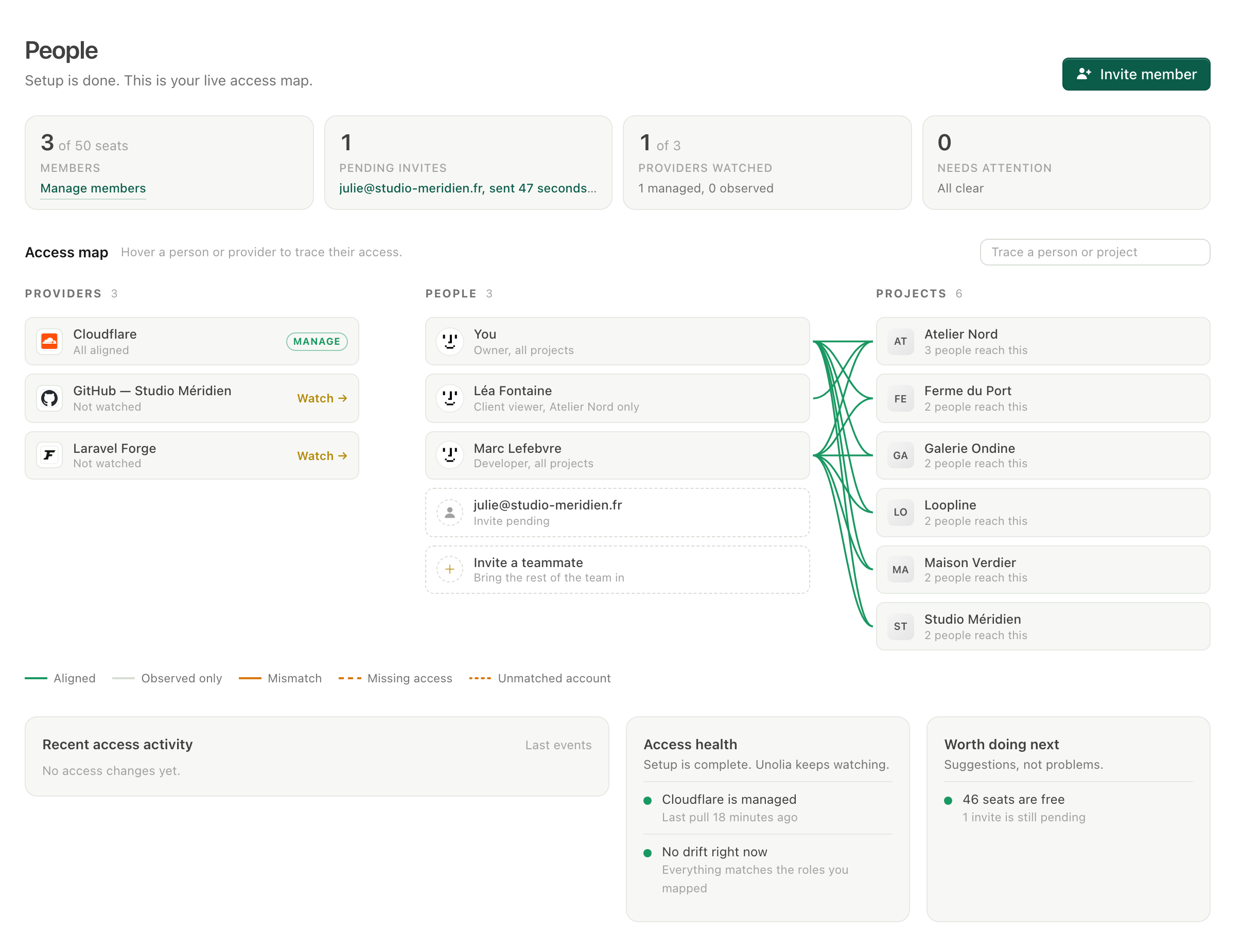
Team Access is the People page for your agency: every provider account matched to a teammate, mapped to the projects they reach. Providers can be watched read-only or actively managed, roles set what each person may do, project groups set where, and drift review flags any access that changes outside Unolia.
Client sites is a group, so nobody grants projects one by one. Add a person and every project in the group opens to them, at exactly the level their role allows. Remove them and it all closes just as fast.
Read only at first. Unolia lists who already holds an account on GitHub, Forge, Cloudflare or Slack.
Link each found account to a teammate, invite the missing people, flag the strays for removal.
Roles set what someone can do, groups set which projects they reach. Switch a provider to Manage and Unolia keeps it aligned.
Someone gets made admin during an incident. An old contractor keeps a login. An account belongs to no one. Unolia reads what every provider really has, names each surprise the next morning, and puts things back the way you decided in one confirmed click.
Access sync ships with the Business plan
Deploying, reading the logs, reading the environment, changing it: each is its own permission, granted per project. A developer can ship all day without ever seeing a production credential, and support can read logs without holding a single key.
Someone leaves at 5 p.m. One page lists every account they hold across every provider, and each removal is one confirmed click. The map is clean before the weekend.
k.tanaka has held a Forge account for two years and nobody knows who that is. Link it to a teammate, invite its owner, or remove it. Either way, you stop wondering.
One invite, one role, one group. Their provider access is planned from the role, and by the first coffee they reach every project they should. And none they should not.
Just you, and the map of what your providers already hold.
2 collaborators on client projects.
Up to 15 members with predefined roles.
Up to 50 members, custom roles and provider sync.
Join the waitlist and always know who can touch what.
Join the waitlist