Re-run or cancel a CI run from Unolia
Re-run the failed jobs, re-run the whole workflow, or stop a run that is still going, from the run’s page in Unolia.
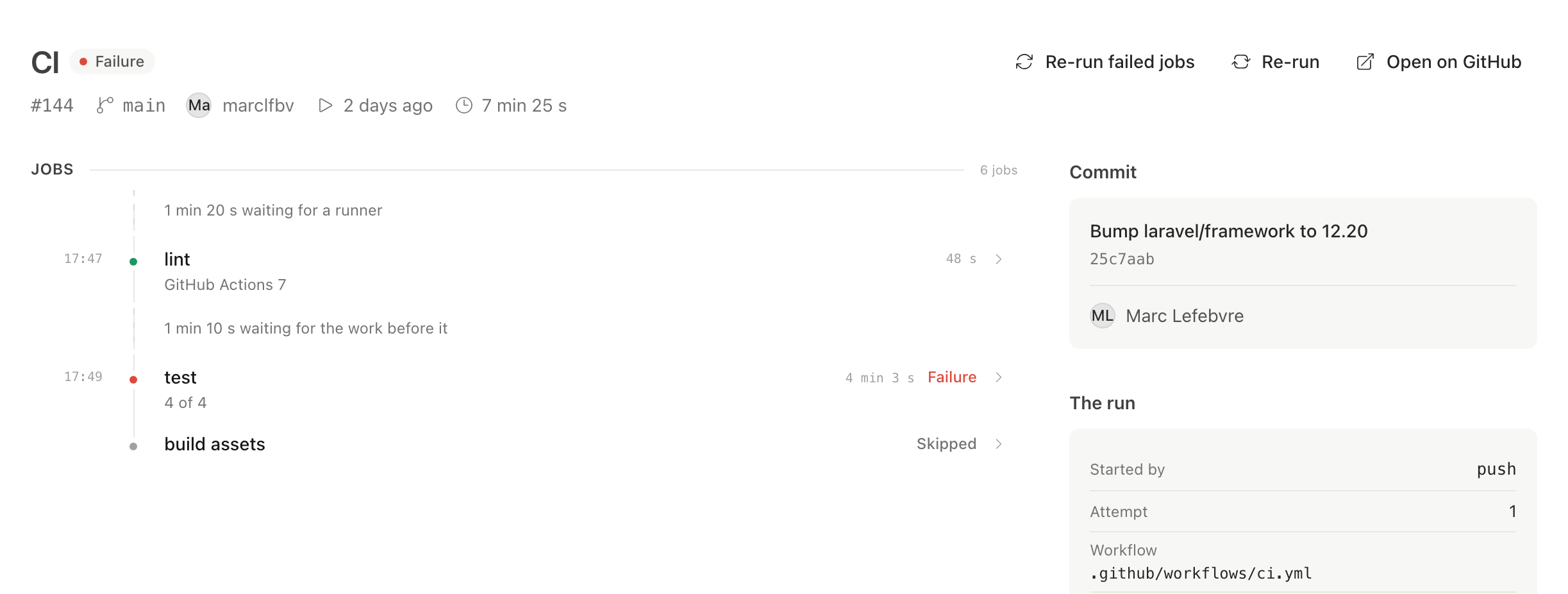
A CI run’s page in Unolia now carries the three things you do with a run: re-run the jobs that failed, re-run the whole workflow, or cancel one that is still going. This is for GitHub Actions.
Making a workflow run for real is a different act from managing a repository, and those workflows often deploy. So it sits behind its own permission, Re-run CI, which developers get and viewers never do. The role builder says what a workflow can reach when you hand it out.
GitHub has its own gate too. Reading runs needs a permission every installation already has, so the page works either way. The buttons wait until the installation’s owner accepts the Actions permission, and until then they show as a locked line that says what is missing, rather than vanishing.
None of the three claims an outcome. Unolia asks GitHub, tells you it asked, and the run’s real state flips a few seconds later when the webhook arrives. A page that says “cancelled” about a run that is still going is worse than one that waits.